Block Spam, Scams & Viruses
Filter emails before they reach your inbox and instantly remove unwanted spam and suspicious messages.
© 2026 Firetrust Limited. All rights reserved.
Products
MailWasher
Pro
Effective and easy to use Anti-spam.
Hideaway
VPN
World's fastest (Seriously!) and most flexible VPN.
MailWasher
Server
Increase productivity and protect against spam and viruses.
Support
MailWasher
Pro
Effective and easy to use Anti-spam.
Hideaway
VPN
World's fastest (Seriously!) and most flexible VPN.
MailWasher
Server
Increase productivity and protect against spam and viruses.
MailWasher Free is the popular free spam blocker for keeping your inbox clean and spam-free. Trusted
by millions worldwide for over 25 years, it offers the easiest and most powerful way to
block spam emails before they hit your computer or mobile device.
MailWasher works with all email accounts and ensures that only the emails
you want make it to your inbox. Download this free spam filter today.
Most email accounts already include a spam filter, but automatic filtering is never perfect.
MailWasher Free adds another layer by letting you review the messages waiting on your email server before your normal email program downloads them.
It is a free email spam filter for Windows designed for one email account and is particularly useful for people who want more visibility into how their email is being classified.
An email spam filter examines incoming messages and tries to decide whether they are legitimate or unwanted.
Modern filters can consider many signals, including:
The goal is simple: separate useful email from junk.
What differs between spam filters is where that filtering happens and how much control you have over it.
There are several common approaches.
| Type of spam filter | Where it works | Typical advantage |
|---|---|---|
| Email-provider filtering | Gmail, Outlook.com, Yahoo and similar services | Automatic and requires little setup |
| Junk filtering inside an email program | Outlook, Thunderbird and other clients | Integrated directly into the mail application |
| Cloud email-security service | Between the internet and a company's mail system | Central management for businesses |
| Pre-download email filter | Before your email program downloads the mail | Lets the user review and remove messages first |
MailWasher belongs primarily to the pre-download email filtering category.
Instead of simply moving suspected junk into another folder, it gives you an opportunity to look at what is waiting and decide what should happen next.
MailWasher connects to your email account and displays the messages waiting on the mail server.
You can review the list and identify which messages you want to keep and which you want to remove.
Once you have made your decisions, MailWasher processes the unwanted mail and you continue to your normal email program.
The process is:
This means MailWasher complements your existing spam filter instead of replacing it.
If your existing email provider already catches nearly all spam correctly, you may not need anything else.
But automatic filtering can create two different problems.
The first is obvious:
Spam gets through.
The second is less obvious:
Good email gets filtered by mistake.
Both problems come from the same limitation. An automatic filter has to make a decision without asking you.
An additional screening layer can be helpful if you want to make some of those decisions yourself.
A false positive happens when a legitimate message is incorrectly identified as spam.
This can be more frustrating than receiving junk because the missing email may be important.
Examples include:
A spam filter that gives you visibility into your incoming mail makes it easier to identify these mistakes.
Spam is no longer limited to badly written advertisements.
Phishing and scam messages can closely imitate genuine organisations.
A fake message may use:
That makes it useful to have an additional place to review suspicious messages before interacting with them normally.
MailWasher is particularly useful when your concern is not simply “Is this spam?” but:
“Do I trust this email enough to let it into my normal workflow?”
MailWasher can be used with many common email services.
This includes accounts that you normally access through services or applications such as:
Your email account and your email program are not necessarily the same thing.
For example, you might have a Gmail account but read it using Microsoft Outlook.
MailWasher connects to the account itself so you can screen the mail before continuing to your normal email software.
MailWasher Free is best suited to someone who:
If that describes what you need, you can download MailWasher Free.
No spam filter can guarantee that every spam or scam message will be identified correctly.
Spammers continually change their methods, including:
For this reason, good email security should not depend on a single filter.
A sensible approach combines:
your email provider's filtering + MailWasher screening + careful judgement
That layered approach is much more practical than expecting one tool to identify every possible threat automatically.
The terms spam filter and spam blocker are often used interchangeably, but there is a small difference in emphasis.
A spam filter focuses on identifying and classifying mail.
A spam blocker focuses on preventing unwanted messages from reaching the place where you normally read your mail.
MailWasher does both.
It analyses incoming messages and gives you the opportunity to remove unwanted ones before continuing to your email program.
If your main concern is specifically stopping unwanted messages, see our free spam blocker guide.
MailWasher Free is designed as a useful solution for one email account.
MailWasher Pro expands the same approach for people with more demanding email needs.
| Feature | MailWasher Free | MailWasher Pro |
|---|---|---|
| Email screening | Yes | Yes |
| One email account | Yes | Yes |
| Multiple email accounts | No | Yes |
| Advanced functionality | Limited | Yes |
| Suitable for trying MailWasher | Yes | Yes |
| Best suited to | Basic personal use | Multiple accounts and advanced use |
Start with MailWasher Free if you want to see whether pre-download spam filtering suits the way you use email.
If you later need more accounts or advanced features, you can move to MailWasher Pro.
Yes. Gmail, Outlook.com, Yahoo and most major email providers already include automatic spam filtering. MailWasher provides an additional screening layer rather than replacing those systems.
You may not need it if you are completely satisfied with your provider's filtering. MailWasher is useful when you want more control, more visibility or the ability to review mail before your normal email software downloads it.
Yes. MailWasher Free is intended for one email account. Users with several accounts should consider MailWasher Pro.
Spam filters can identify many suspicious and phishing messages, but no automated system can identify every threat. You should still be cautious with unexpected links, attachments and requests for personal information.
Yes. MailWasher can be used as a screening stage before you download your mail into Outlook.
Yes. You keep your existing email address and provider. MailWasher works alongside them.
No. MailWasher is designed primarily for screening incoming mail. You continue using your normal email application or webmail service to read and send your email.
Automatic spam filters are convenient, but sometimes you want to see what they are doing and make the final decision yourself.
MailWasher Free gives you that option for one email account.
You can review incoming mail, remove unwanted messages and then continue to the inbox you already use.
Download MailWasher Free and try it with your email account.
MailWasher comes packed with features that make email management easier, safer, and faster:
See all your emails on the server before downloading them to your computer, so you can safely inspect and delete spam and viruses.
Add trusted contacts to a "Friends List" to always let their emails through, while blocking spammers using a customizable blacklist.
Tailor your spam filters to catch specific email types, including unwanted newsletters and foreign language emails.
MailWasher learns from your actions, adapting to what you classify as spam or legitimate mail, making your inbox cleaner over time.
All information is contained within MailWasher and remains on your PC. Nothing is transmitted to our servers aside from your license key.
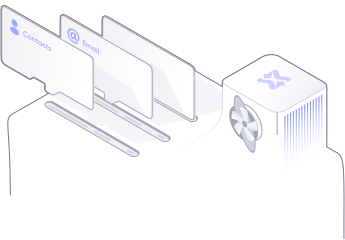
Setting up MailWasher is simple. The setup wizard helps you import your email settings and
contacts, getting you started in just a few minutes.
Whether you’re a tech expert or a novice, MailWasher is designed to be user-friendly.
Join the millions of people worldwide who trust MailWasher to keep their inbox clean and spam-free. Download our free trial and experience the easiest way to manage your email safely and efficiently.

Stay protected on the go! Download the MailWasher app on Google Play or the App Store.
If you're not satisfied within 30 days, we’ll refund your Pro version purchase, no questions asked.

MailWasher is backed by a dedicated customer support team that’s here to help you every step of the way. We’re available 24/7, every day of the year, even on holidays!
Say goodbye to unwanted emails, email scams, and dangerous phishing attempts. With MailWasher, you can:
| Feature | Mailwasher Free Free Free | Mailwasher Pro From $49.95 |
|---|---|---|
| Preview emails on the server | ||
| Delete emails at the server | ||
| Effective anti-spam tools | ||
| Works with POP3, IMAP, Outlook.com, AOL, Gmail etc | ||
| Colored grid lines for easy reading | ||
| Real-time spam filter service | ||
| Auto delete spam | ||
| Search inbox | ||
| Automatic updates | ||
| Customize interface | ||
| Limited to one Email Address | ||
| Use Unlimited email addresses | ||
| Recycle bin | ||
| Full preview pane | ||
| 7 days a week technical support | ||
| Sync to mailwasher mobile | ||
There is no spy-ware contained in this program, we do not monitor your actions or email. When you register this program, we will not give your email address or personal details to anyone.
| Product details | Version information |
|---|---|
| Current version | 8.5.1 |
| Operating system | Windows Vista, 7, 8, 10, 11 |
| Release date | August 2026 |
| Protection against | Spam, phishing emails, email viruses, unwanted newsletters, unwanted email. |
1. What is MailWasher Pro?
MailWasher Pro is a spam-filtering program that lets you preview and delete unwanted emails before they reach your inbox, so junk never touches your computer.
2. How is MailWasher different from spam filters built into email providers?
Most email providers filter after messages arrive. MailWasher works before download, giving you full control over what gets through. Ultimately you decide what gets through and this avoids good emails going into the spam folder.
3. Does MailWasher delete emails permanently?
Only if you choose to. You can preview messages safely before deleting them and restore them from the recycle bin if needed.
4. Is MailWasher safe to use?
Yes. MailWasher has been trusted by millions of users for over 25 years and never reads or stores your email contents.
5. Who is MailWasher best for?
Anyone who:
- Gets too much spam
- Wants control over email filtering
- Uses Outlook, Gmail, Yahoo, or any other email provider including custom email
- Values privacy and simplicity
6. Does MailWasher work with Gmail?
Yes - MailWasher works with Gmail, including Gmail hosted on custom domains.
7. Does it work with Outlook?
Yes, including Outlook, Outlook.com, and Microsoft 365 accounts.
8. Can I use it with multiple email accounts?
Yes - you can manage multiple email accounts in one place.
9. Does it work with IMAP and POP3?
Yes. MailWasher supports both.
10. Will it interfere with my email app?
No. It works before your email client checks mail.
11. How does MailWasher detect spam?
It uses:
- Blacklists
- Custom rules
- Keyword filters
- Bayesian learning
- Real-time blackhole lists
- Friends list (whitelist)
12. Does it block phishing emails?
Yes - phishing attempts are flagged and can be auto-deleted.
13. Can I block entire domains?
Yes. You can block domains, senders, or patterns.
14. Can I stop emails with attachments?
Yes - you can filter or block emails with attachments if you want.
15. Will it stop scam emails?
Yes. MailWasher is very effective at stopping scam and fraud emails before you open them, and allows you to view all the information inside an email like headers, and where the website links actually point to.
16. Is MailWasher easy to set up?
Yes - most users are up and running in under 5 minutes.
17. Do I need technical knowledge?
No. It’s designed for everyday users.
18. Does it run automatically?
Yes. You can set it to start with Windows and check mail automatically on a schedule.
19. Can I undo a mistake?
Yes. You always preview emails before deleting them and rescue emails from the recycle bin.
20. Is there a learning curve?
Very small - most users understand it within minutes.
26. Does MailWasher read my emails?
Only to work with the internal filters in MailWasher. No content leaves your computer.
27. Does it store my data?
Only on your computer. No email content is stored on our servers.
28. Is my email password safe?
Yes - credentials are encrypted and stored locally.
29. Does MailWasher sell my data?
No. Never.
30. Is MailWasher ad-free?
Yes. No ads, no tracking, no data selling.
31. Is MailWasher free?
There is a free version, and a paid Pro version with advanced features.
32. What does Pro include?
- Unlimited email accounts
- Recycle Bin
- Advanced spam filtering
- Support
- Custom rules
- Automatic filtering
33. Is it a one-time purchase?
There is a lifetime version available for extra cost, or an annual subscription.
34. Can I install it on multiple computers?
Yes, you can install it on up to 3 computers.
35. Is there a refund policy?
Yes - MailWasher offers a 30 day money-back guarantee.
36. Can I create custom rules?
Yes - you can filter by many different properites, such as sender, subject, keywords, or patterns.
37. Can I whitelist trusted senders?
Yes - once added, they’ll never be blocked.
38. Does it learn over time?
Yes - its Bayesian filter improves accuracy as you use it.
39. Can I block newsletters easily?
Yes - you can add them to the blacklist and auto-delete them.
40. Can I block emails before they download images?
Yes - that’s one of MailWasher’s key benefits.
41. How long has MailWasher been around?
Over 25 years - it’s one of the longest-running spam blockers.
42. Is support available?
Yes - email and phone support and detailed help docs are included.
43. Is MailWasher still actively maintained?
Yes - regularly updated and improved.
44. Does it work with corporate email?
Yes, as long as POP or IMAP access is allowed.
45. Can it help reduce inbox stress?
Absolutely - that’s one of the biggest benefits users report.
What languages has MailWasher been translated to?
English, German, French, Spanish, Polish, Dutch, Hungarian, Bulgarian, Ukranian,
Swedish, Russian, Czech, Norwegian, Armenian, Croatian, Danish, Japanese, Portuguese,
Italian, Chinese (Traditional and Simplified) and Pirate! Help translate MailWasher.
Where can I learn more about MailWasher?
Take a look at the Quick Start Guide We’ve compiled a list of 24 Quick Tips and Tricks, plus Advanced Features if you want to know more about custom filters and translating MailWasher.
Have a specific question not asked here?
Check out the Support Page, or send our friendly support team an email
with your question.

MailWasher Enterprise Server (MWES) is a robust and extremely effective, server side spam filter which is flexible enough to handle the needs of small businesses through to very large businesses and ISPs.

HideAway reinvents and improves the VPN by adding flexible rules, faster speeds and an ‘Always on’ capability, while at the same time giving users a secure connection, privacy and simultaneous access to your favorite sites around the world.